

 Navigation
Game Structure
Ричард, Сердце Леогриффа
Считается, что Леогриффы могут признать своим хозяином только носителя королевской крови, наделенного истинной отвагой и чистым сердцем. Ричард живое подтверждение этой легенды.
Structure of Game Party
Each game game consists of a sequence of steps, which we will consider below.
Step 1: Preparing for game
Step 2: Initiative Roll
Step 3: Deployment
Step 4: Game Turns
Step 5: End Game
Step 6: Results
Step 1: Preparing for game
At this step, the players must chose of Scenary and the size of the Expedition Squad. After that, each player must assemble his Expedition Squad from the Miniatures available to him and make a Deck of God Cards according to the rules described in the chapter "Expedition Squad". After choosing a Scenary, players place all
Step 2: Initiative Roll
Each player rolls three Attack Dice. . The player with more Critical Successes
  ,
win the Initiative. If there are no Critical Successes, the player with the most Successes wins
,
win the Initiative. If there are no Critical Successes, the player with the most Successes wins 
The player who wins the Initiative chooses which of the two players in the Game becomes the Attacking Player.
Атакующий Игрок
Игрок выбирающий Зону Расстановки, первым выставляющий Миниатюру во время Расстановки и первым активирующим Миниатюру во время Первого Хода.
Example
Players Otraax and Noctis make a roll at the Initiative.
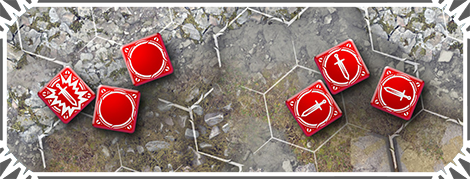
As a result of roll three Attack Dice, Otraax gets the result  , while Noctis gets the result.
As a result, Otraax wins the Initiative, becouse he received more Critical Successes as a result of roll
Step 3: Deployment
After winning player chooses the Attacking Player, it is time for the Deployment Step. It consists of three stages, which we will consider in detail.
1. Selection Of The Deployment Zone.
2. Put the Miniatures on the battlefiield.
3. Draw the Cards of the Gods in your hand.
1. Selection Of The Deployment Zone.
In the beginning of the Deployment Step, the Attacking Player chooses the Deployment Zone from the ones proposed in the Scenary (usually one of two).
Зона Расстановки
Обозначенные в Сценарии Гексоны на Игровом Поле. Миниатюры могут быть выставлены только в данные обозначенные Гексоны.
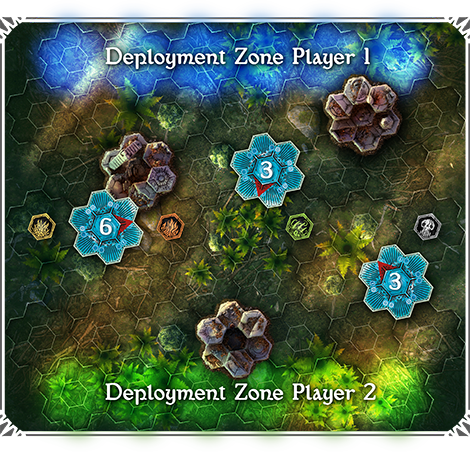
Each Scenary has a scheme of the battlefield, which shows the location of all elements of the Landscape and indicates the Zones of player Deployment (marked with color).
2. Deployment Miniatures
Starting with the Attacker, both players begin to put one Miniature from their Expedition Squad on the battlefield, within the Deployment Zone. If one of the two players puts all his Miniatures on the battlefield, the second player must continue to deploy his remaining Miniatures until they are all on the battlefield. When all the Miniatures of both players are deployed on the battlefield, the players move to the next stage of the Deployment Step.
If there is a Dangerous Landscape in the deployment zone, the player can ignore them and not put miniatures in these Hexons when deploy miniatures.
Warning! If for some reason, some of the Miniatures cannot be displayed on the battlefield because all the Hexes or Hexons not available for deploy, these Miniatures go into Reserves.
Rules for miniatures in Reserves are described in the chapter "Scenarios".
3. Draw the Cards of the Gods
Each player shuffles his deck of God Cards, after which he takes three cards in his hand. The player does not show the Cards of the Gods that he holds in his hand to the opponent.
Step 4: Game Turns
In this Step, players move directly to the game. It has form of a series of game turns, the number of which is limited to the selected Scenary (usually six turns).
When players complete the Deploymant Step, the first turn begins. On the first turn, the Attacking Player is the first to activate one of his Miniatures.
If one of the events below happens, players proceed to the Step 5: End Game
The last Game Turn is completed (as a rule, this is the Sixth Turn);
All Miniatures of one of the players have been killed (in this case, all Miniatures that have not yet been activated in this turn, can use their activations, after which "Phase V: Movement of Ether Vortices" begins, followed by Phase VI: End of Turn.")
Step 5: End Game
At this step, the abilities are played back Miniatures, Card of the Gods, or a Scenary that should play "at the end of the game." After that, the game is completed and the players count the results of the game.
Step 6: Counting Points
Players count Victory Points (abbreviated VP) according to the conditions described in the Scenary
The player who scores more Victory Points is considered winner. If both players scored an equal number of points, then the result of the game is a draw.
Summary
Structure of Game Party:
Step 1: Preparing for game
• Scenary Selection
• Gathering an Expedition Squad and a deck of God cards
Step 2: Initiative Roll
• Roll Three Attack Dice
• Selecting an Attacking Player
Step 3: Deployment
• Selection Of The Deploymen Zone
• Deployment Miniatures
• Draw the two Cards of the Gods/p>
Step 4: Game Turns
Step 5: End Game
Step 6: Counting Points
Turn Structure
Phase 1: Beginning Of Turn
Abilities and effects are triggered, the text of which says "At the beginning of the turn". After that players move on to the next Phase.
Phase 2: Draw Cards of Gods
Each player draw one card from his deck of Gods Cards into his hand.
Phase 3: Initiative Roll
Each player rolls three Attack Dice . Player with more Critical Successes ,
In first turn, Attacking Player has initiative В In first turn, Attacking Player has initiative
Phase 4: Activating Miniatures
Payer who wins the Initiative chooses his Miniature and activates it, use the actions that it will perform. After that, the turn to activate the Miniature goes to his opponent and players alternately activate their Miniatures (one at a time) until all the Miniatures on the battlefield are activated during this Turn.
Phase 5: Movement of Ethereal Vortices
Starting with the player who first activated all his Miniatures, the players make rolling dice to determine the direction of movement of the EtherealVortices.
Phase 6: End of Turn
Abilities and effects are triggered, the text of which says "At the end of turn". After that players move on to the beginning of the next Turn.
Activation Miniatures
Each game Turn consists of a some Miniature Activations. Activation of Miniatures everything happens in the same order. When player completes the Activation of his Miniature (usually one, unless a property or ability says otherwise), the turn to activate the Miniature goes to his Opponent.
If one of the players has already Activated all his Miniatures, but the second one has not yet, then the second player must Activate his remaining ones without passing the turn to his opponent.
When all the Miniatures of both players are Activated, the game moves to the "Movement of Ether Vortices" Phase.
Important! During a Turn, the player chooses to Activate Miniatures that have not yet been activated in this turn.
After the player has chosen which of his Miniatures to Activate, it's time to choose what Actions the Miniature will perform during its Activation.
A list of all Actions available for the Miniature is print on its Miniature Card in the form of Action Tiles.
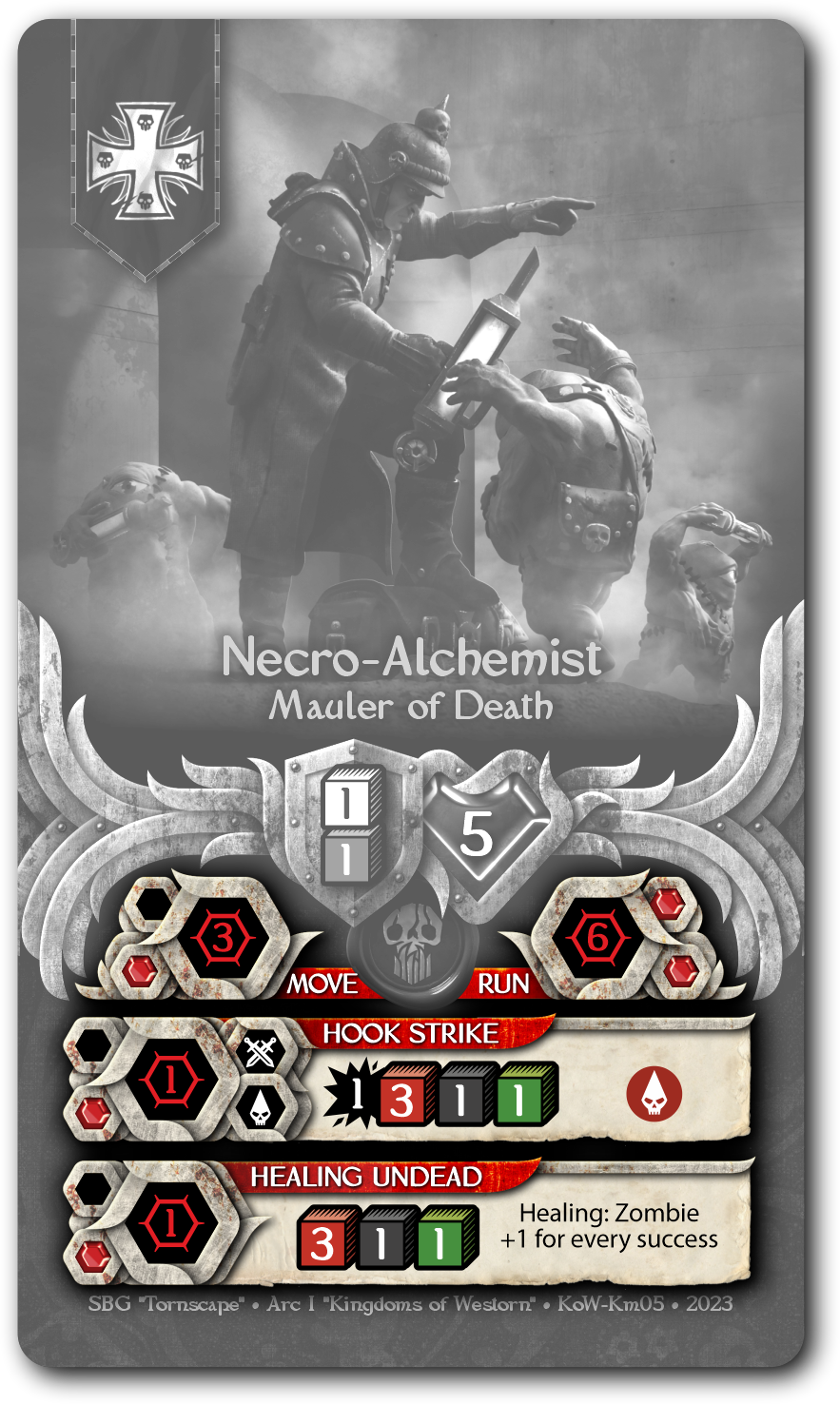
Action tiles are located on the bottom half of the Miniature Card and often their list continues on the back of the Card.
Miniature's Action Tile
1 - Distance.
Maximum distance (number of Hexes or Hexons) at which you can select a target to perform an Action
2 - Name Of Action.
A unique name that properties or effects can refer to.
3 - Time Markers.
Quantity of Time Markers that the Miniature should spend when performing an Action.
4 - Simbols
A set of symbols, usually characterizing Type of Attack and Type of Damage.
5 - Damage
Damage an Action deals for each successful Attack Die.
6 - Pool Of Dice
Dice, which must be roll when performing an Action.
7 - Properties and effects
A list of properties and effects related to Action. They can be displayed with pictograms or keywords. You can read more at "Glossary" section.
Each Miniature receives two Time Markers  , upon Activation, which are spent on using the Actions of this Miniature. Usually Miniature Actions have a cost of one or two Time Markers. Miniature can perform one Action worth two Time Markers , or two Actions worth one Time Marker . .
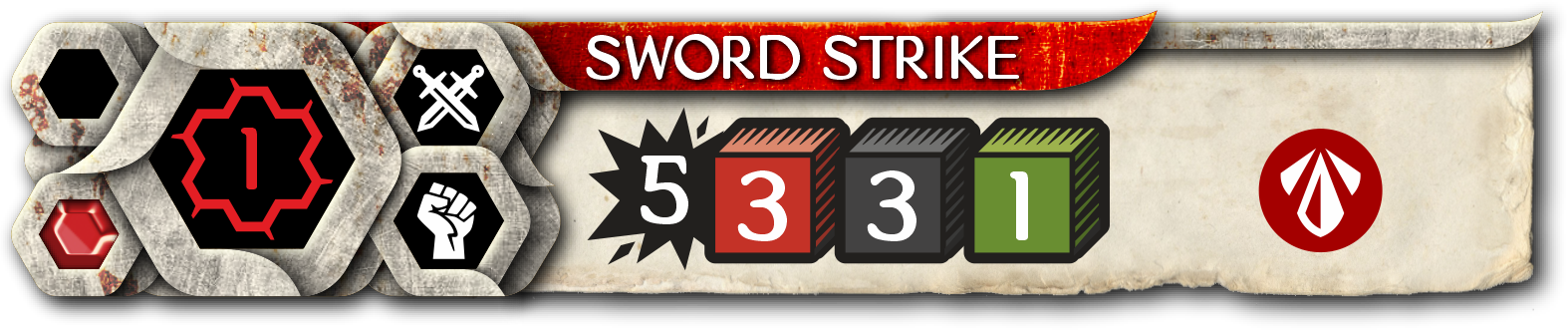
"Sword Strike" action has a cost of one Time Marker.
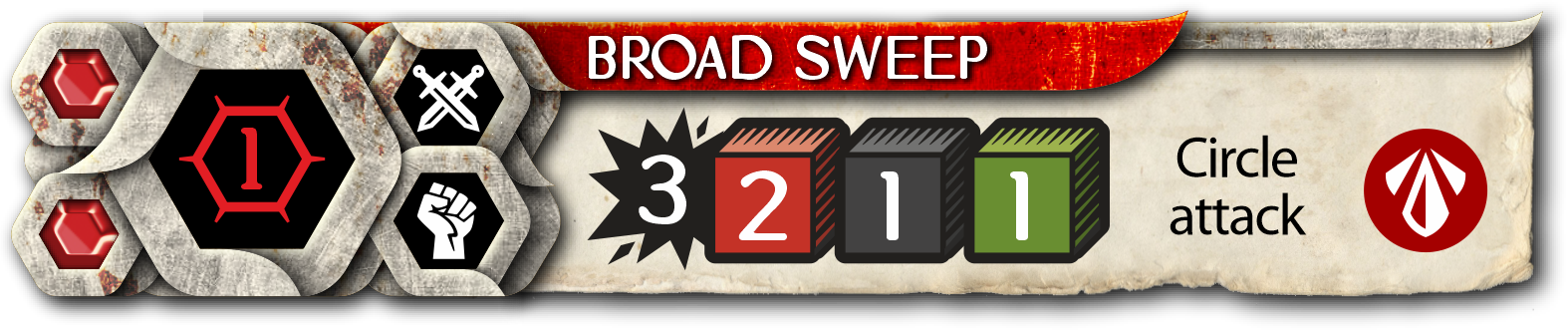
"Circular Attack" action has a cost of two Time Markers.
When performing more than one Action per Activation, the player must follow the following restrictions:
The same Action cannot be used more than once per Activation. If a player want to spend Time Markers on two Actions, then they must be different.
Miniature cannot perform more than one Action: Attack 
 per Activation
Действие: Атака
Если на Плитке Действия присутствует пиктограмма Ближнего Боя или Дистанционной Атаки, то данное Действие считается Действием: Атакой.
Миниатюра не может совершить более одного Действия: Атаки за Активацию, даже если на Карточке Миниатюры есть
несколько Плиток Действия: Атака стоимостью в одну Единицу Времени .
Impotant!
Player is not required to declare the full combination of Actions of the Miniature in advance before its Activation. Player chooses which Action will follow the first, after the first Action is played.
Miniature cannot have more than three Time Markers for its Activation, even if ability or effects allow it to do so.
Miniature cannot be Reactivated more than once per Turn. Some abilities or effects allow a Miniature that has already been activated in this turn to be activated again. This action is called Reactivation.
Example
Player Noctis want to Activate his Miniature Alchemist and spends two Time Markers to perform the Run action.
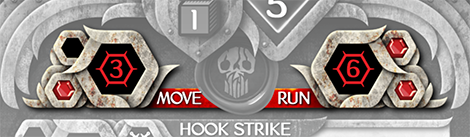
When it use Run action, the Miniature can move to a distance of up to 6 Hexes, which is picted on the Action Tile. Noctis decides to move the Miniature 4 Hexes forward.
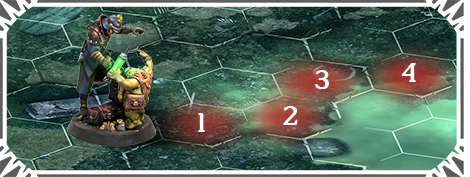
After end movement of the Miniature, its Activation is completed and the turn to Activate the Miniature goes to the opponent of Noctis, player Rouna./p>
Among the many unique actions, there are a few standard ones. These are available to most miniatures. Let's look at them below:
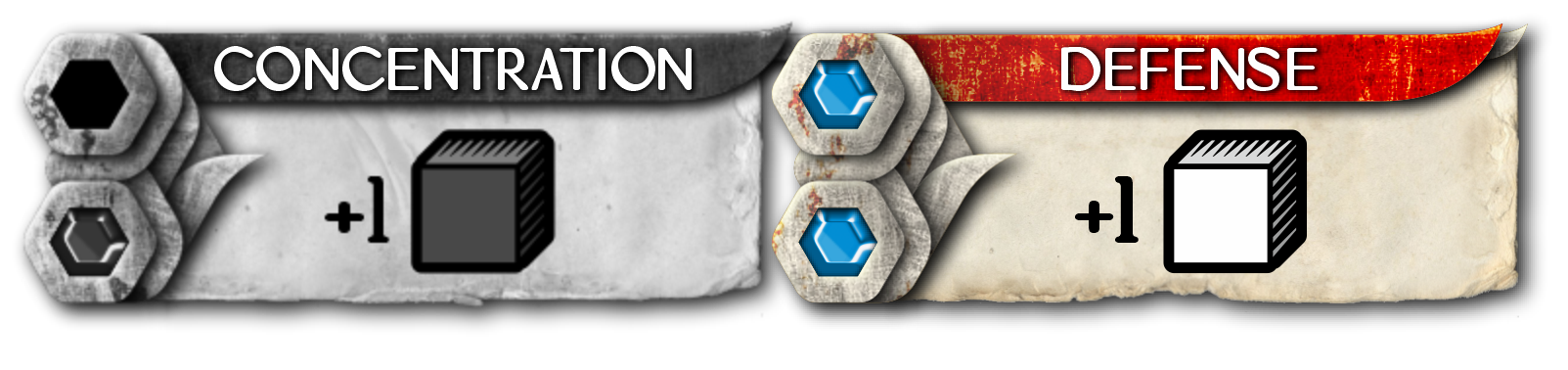
Concentration
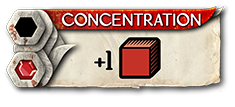
When a Miniature uses Concentration, it adds the dice specified in the Tile (usually one Attack Dice) to the pool of dice it will roll when it takes its next Action during that Activation. If a property or effect prevents you from using a Concentration Action (such as the Fear rule), the additional die/dice specified in that Action are not added to the dice pool.
Defense
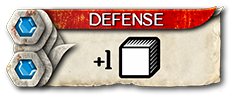
A Reaction action that allows Miniature that has not yet been activated to increase the chances of not receiving damage from Attack. If Miniature uses a Defense reaction, it adds the dice specified on the Action tile to its Defense rolls until the end of current Activation. Reactions are described in detail in the relevant section of the rules.
Explore
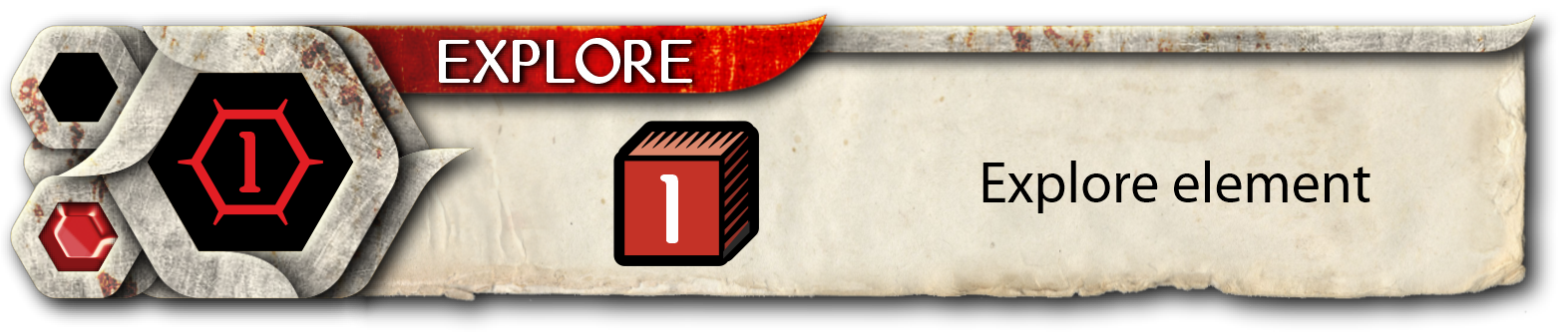
An action that is usually used to interact with Ethereal Vortices. This Action and all related effects are describe in detail in the chapter "Ethereal Vortex".
Take an Item
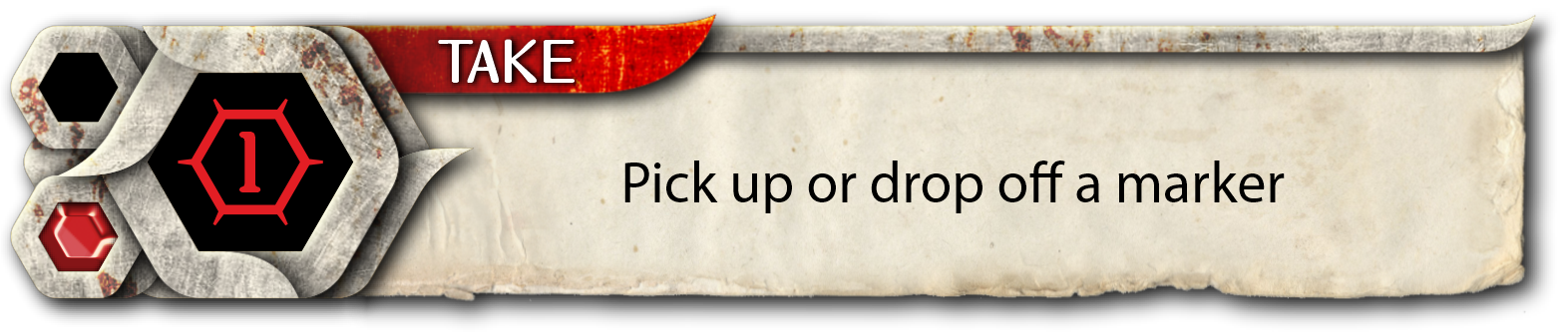
An action that show the Miniature's ability to interact with world. Using the Take Item action, a Miniature can
Take a Scenary Marker within the distance on Action Tile from the battlefield or at an Ally with a Marker.
Put Scenary Marker that carries or is associated with within the distance on the free Hex of the battlefield.
Pass Scenary Marker that carries or is associated with to an Ally within range. Ally must have the "Take Item" action.
Markers are discribe in detail in the Scenarios chapter.
Activation Structure
Step 1: Select Miniature
Player chooses which of his Miniatures to Activate. Miniature can be selected that has not yet been activated in this Turn.
Step 2: Landscape Effects
Playing off effects from an Ethereal Vortex or a Dangerous Landscape, if the Miniature is on a tile of this landscape.
Step 3: Beginning of Activation
Triggering of effects and abilities that should occur "At beginning of Miniature Activation". Players can play God Cards, which are played "At the beginning of the Miniature Activation".
Step 4: Condition Markers
Triggering Of Condition Markers. 


 If Condition Markers are applied to the Miniature, their effects are triggered at this Step.
Step 5: Declare Action
Player declares a Miniature Action and chooses targets for it, if need or moves into Step 8. End of Activation
Step 6: Declare Reactions
Opponent can declare Reactions from their non-activated Miniatures.
Step 7: Resolve Action
Player resolve effect of the Action.
In this step that Dice are rolls or the Miniatures is moved. At the end of Step 7, if Miniatures still has Time Markers, the player can declare the next Action of this Miniature. In this situation, the player returns to Step 5.
Step 8: End of Activation
Triggering of effects and abilities with note "At the end of Miniature Activation". Players can play God Cards, which are played "At the end of the Miniature Activation". After that Miniature loses all Time Markers, and activation of the Miniature is ended.
Important! If several effects or properties should be triggered at once at any of the Steps, then the player controlling the Miniature chooses their order of resolve.
Reaction
Reactions are Action of Miniature that is played during the activation of another Miniature. Reaction tiles have an image of blue Time Marker icons.  .
.
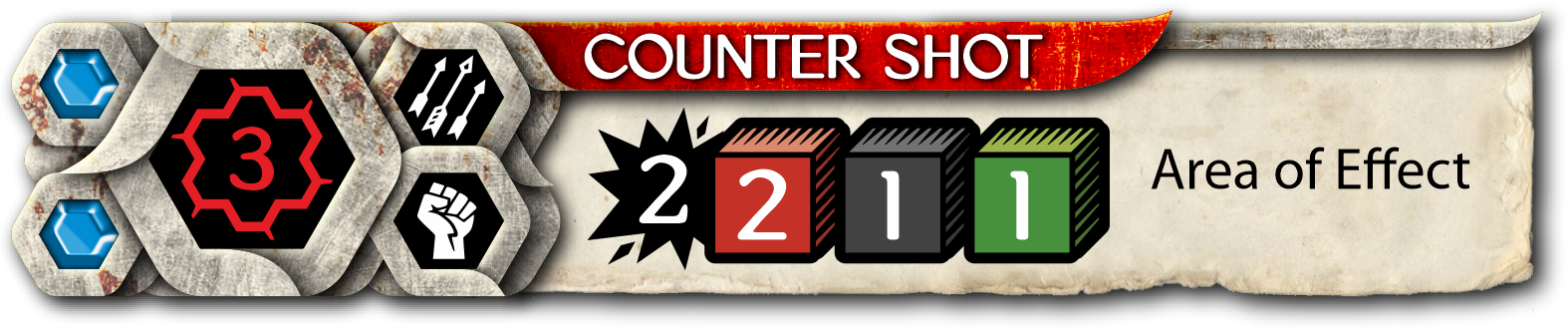
Example of a Reaction Tile
During the Activation of the Miniature, upon the onset of "Step 6: Declare of Reactions", players can select any number of Miniatures that were not activated during this Turn and declare the execution of the Reaction Action by them. Reaction is played immediately after the declaration, that is, at “Step 6: Declare Reactions”. Exception is the Counter Attack reaction described in the chapter "Combat".
Miniature can only perform a Reaction if it has not been activated. After the Reaction is resolved Miniature is considered Activated. If miniature has abilities or effects that should resolve at the beginning or at the end of activation, they do not work when the Reaction is played. Any continuous effects described in the Reaction tile are active until the end of Activation.
Most common Reaction is the Defense that most Miniatures have.
Important! If the Miniature has Condition Marker, it cannot declare Reaction! If the Miniature is on an Ether Vortex or a Dangerous Landscape, it cannot declare an Reaction!
Actions with Tokens of Faith
Some Actions of the Miniatures, are beyond their capabilities and needs the intervention of higher powers. If there are symbols of Faith Tokens on the Action Tile, this means that the player must pay it numbers of Faith Tokens of a needs color for perform this action with this Miniature.
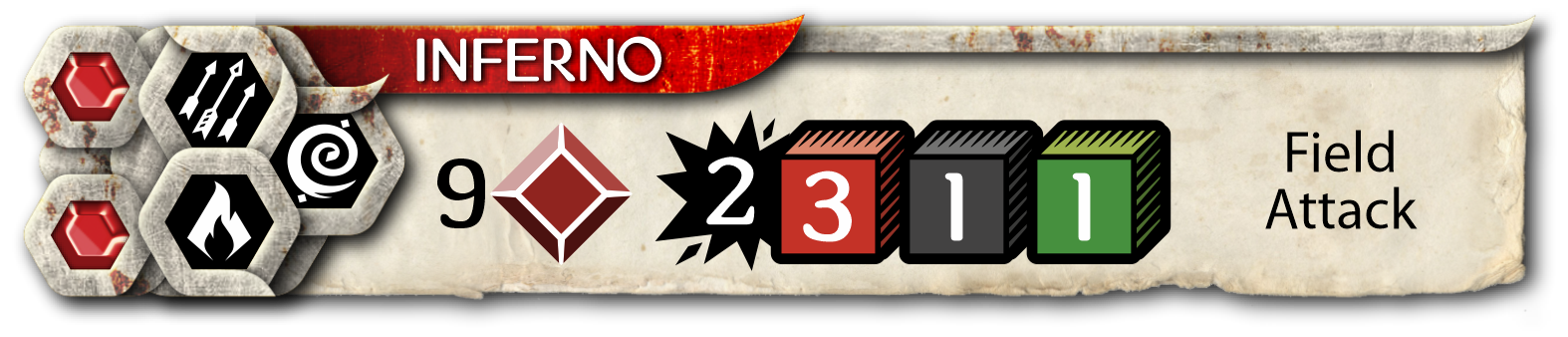
The action of "Inferno" need to pay for 9 Tokens of the Faith "Destruction".